

Over the past few months i've been consistently seeing people's social media accounts hacked and endless phishing examples also on social media. Forget those emails from Nigeria with offers of millions of dollars from a fictitious widow: today's scammers and hackers are sophisticated and organised. My name is Richard Gosler and i'm creative director of Phoenix Digital Media, a Bournemouth based Web Design Agency.
How to secure your facebook (and other social media) accounts
The first thing you need to do is update your password. if it's less than 10 characters, it's not secure. If it contains memorable dates, names or pets, it's not secure. If you've not changed it since you set up your account in 2010 it's definitely not secure. So, update your password. You can use a Password Generator Such As This One. At the very least, use 3 random words together of at least 12 characters. Once you've done that, store your password in a safe repository either in a notebook or an online password manager. There are free as well as premium versions of this.
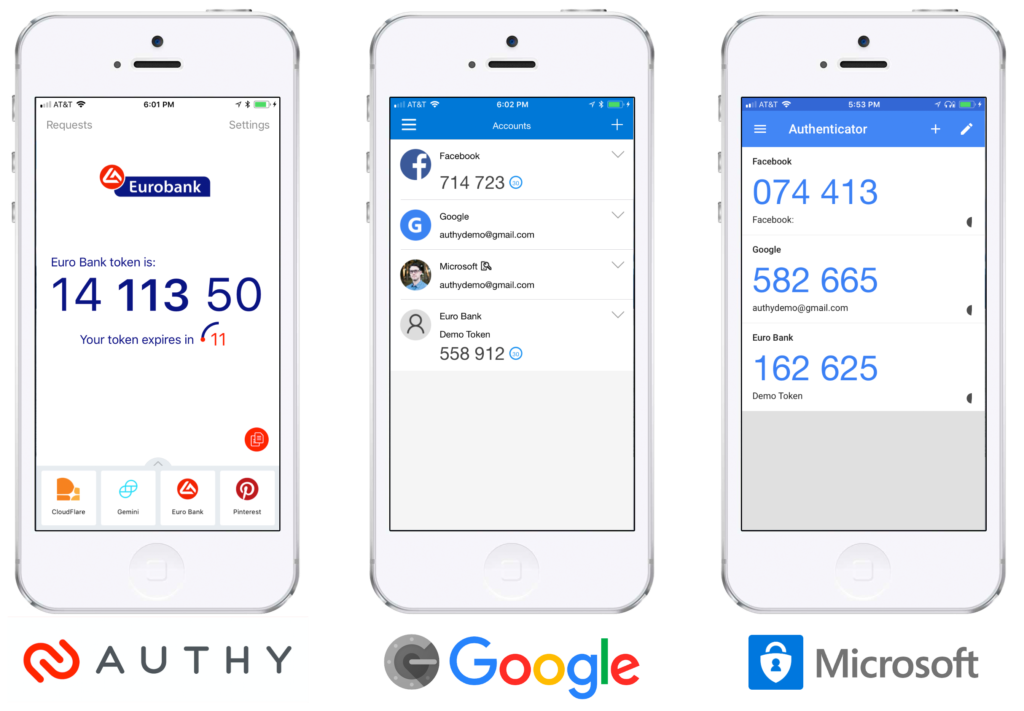
Once you've done this, the next step is to lock your account down with Two Factor Authentication or 2FA for short. This adds banking level security by either sending a 6 digit code to your phone as a text message or using an app such as the Google Authenticator App to generate a new code every 30 seconds or so. This means that even if a hacker correctly guesses your password, without your phone, they will not be able to gain access. The image below shows three popular authenticator apps.
Once you've successfully done this in Facebook (go to Settings & Privacy > Settings > Security & Login) and noted how easy that was, you can now go ahead and do the same in all of your other social media and online accounts.
Facebook quizzes
You know those fun quizzes that we all like to play on Facebook such as "who was number one the week you were born?" or "honour a beloved pet who is no longer with you"? Well, spoiler alert: you are giving away vital security information that is used for validating (typically) financial services. Birthdays, pet's names, your first car are all used as secondary security questions and you are giving them away. Bear in mind also that these apps will have harvested your email address so you have been warned! If you're concerned about having added a facebook app, here are Instructions For Removing It.
Your own website
It's equally important to lock your website down as, your site is under constant attack from hackers attempting to force their way into the admin login, FTP and other more malevolent ways to attack your site. Firstly, limit the number of users who have admin access. If you external external staff to access a site, disable the access as soon as they've completed the task. As per social media, reset your passwords on a regular basis.
If you use a common CMS such as wordpress, you can mask the admin login page to make it harder for them to get in. Better yet, you can add 2FA to websites to make them extra secure. To my knowledge only one CMS, Joomla has this built in by default which is just one of the reasons it is our preferred platform for building sites.
If you have control of your hosting through a control panel you can often lock the FTP so that hackers cannot upload files via that method.
There are many more methods available to you but these are quick fixes you can enable with the minimum of fuss.
Email and texts
Email is still a very popular way for hackers to gain access to your sensitive data with sophisticated and authentic looking material. However there are three things you should always check as standard procedure when responding to an email, especially when it is unexpected.
- Check that the senders email address matches the profile. For example if it appears to be from HSBC but the sender's email address is not hsbc.com then it is almost certainly a scam.
- The salutation. If an email from, say paypal, it typically personalised with your name ie Dear Richard, then receiving one without that: maybe Dear user or simply hi then it is fake.
- Lastly, if an email is asking you to click on a link, hovering over the link will show you its true address. At this point it's important to understand the difference between a top level domain and a sub-domain. The part of the web address immediately before the .com or .co.uk is the top level domain such as hsbc.com. Anything before that such as www is the sub-domain. So if you receive an email and the link is hsbc.robmyaccount.com then it's fake. If in doubt, don't click on any link but visit the site independently.

