
Business Productivity

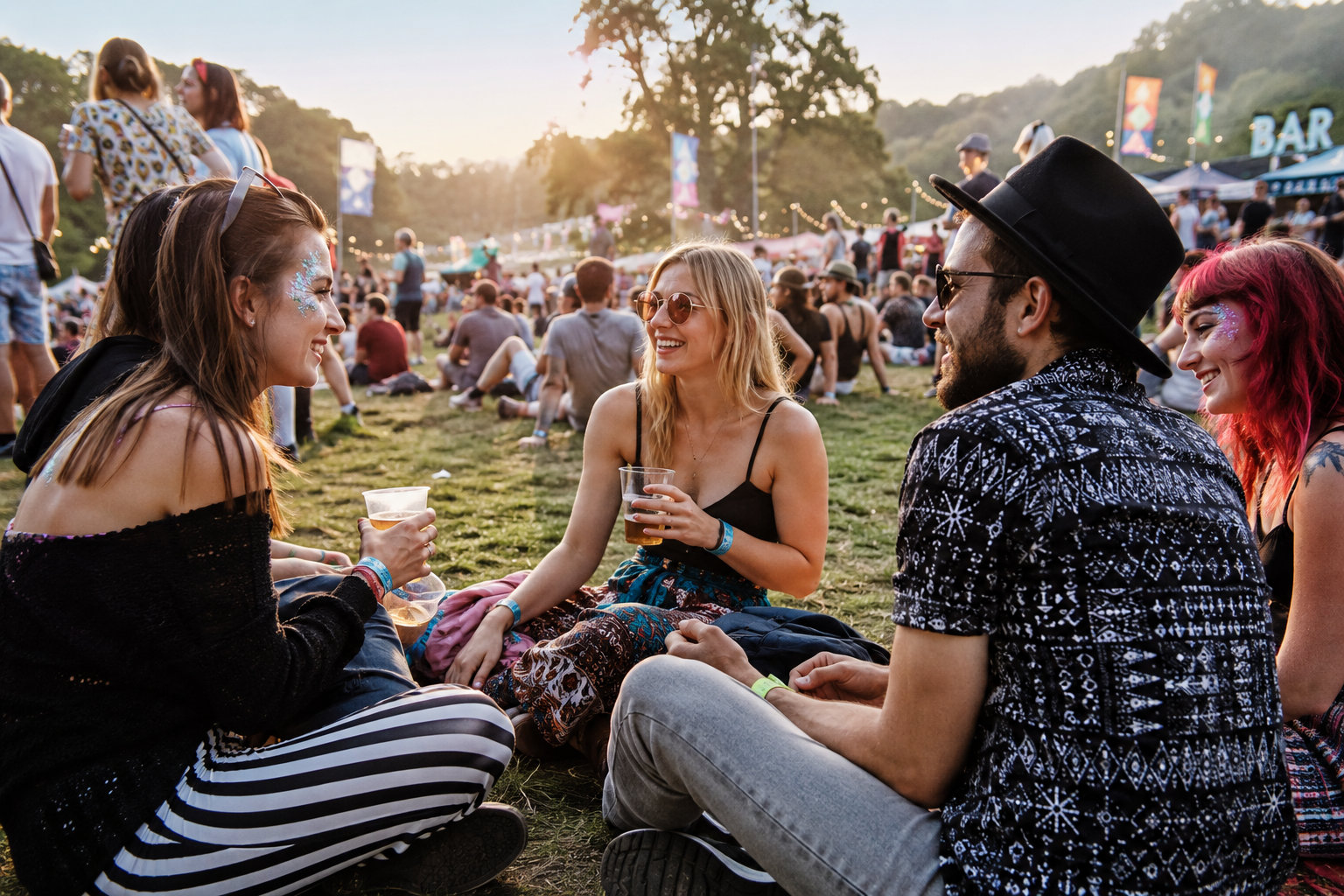
summer festival

Booking Systems That Sell Out Summer for Venues and Attractions

Booking systems that sell out summer: smarter journeys for venues, events and attractions


Late-summer is the sprint. Autumn is where the smart planning happens. If you run a venue, attraction or seasonal event, your booking system should be doing more than taking payments. It should show availability clearly, sell upgrades without friction, and feed your CRM so you can market the next visit.

This guide maps a high-converting booking flow and shows where to add payment options, virtual tours, bundles and automation to lift conversions and average order value. The focus is practical, so you can act fast and build momentum ahead of the next peak.

Pixelhaus designs bespoke booking and ticketing systems for hospitality, venues and attractions across Dorset and beyond. If you want a quick diagnostic and a free discovery call, we are ready to help.

The high-converting booking flow, step by step

Your flow should feel natural on a phone. Fewer steps and fewer fields are key.

  1. Start with availability Show a clear calendar or session picker as the first screen. Use colours and short labels so people can skim times at a glance. For ticketed sessions, add remaining capacity to create urgency without pressure.
  2. Pick date and time Make it obvious what is bookable today, this weekend and next week. Allow quick jumps for school holidays and bank holidays. If you run timed entry, keep session blocks consistent so guests learn the pattern.
  3. Choose tickets, add-ons and bundles Let people select ticket types, then present one clean add-ons screen. Keep to three to five relevant options with short, plain-English descriptions and visible prices. Examples:
  • Guided tour upgrade
  • Family photo bundle
  • Picnic hamper or drinks tokens
  • Merchandise pack or map guide
  1. Pay and confirm Offer guest checkout so no one is forced to register. Use a single page for details and payment with as few fields as possible. Show the total, fees and any discounts clearly before the pay button. Confirmation should hit email instantly, with QR code tickets for quick entry.

Payment options that reduce mobile drop-off

On phones, tapping to pay wins. Offer Apple Pay and Google Pay for one-tap checkout, plus PayPal for trusted wallet payments. Where relevant, include Klarna or Clearpay for higher-value bundles or season passes, but keep the UI uncluttered. Always:

  • Keep guest checkout on by default
  • Minimise typing with postcode lookup and auto-fill
  • Show familiar security badges

How virtual tours and clear availability boost bookings

People book faster when they can picture the experience. A short virtual tour or 360-degree view helps visitors see ambience, access, seating and sightlines. For wedding venues and attractions, that is often the clincher.

Place a 30 to 60 second tour teaser near the date picker. Add a full 360-degree tour on the main experience page and upload the tour to Google Maps for extra discovery. Pair visuals with precise availability so there is no doubt about what can be booked right now.

If you need support with visuals, Pixelhaus produces 360-degree tours and can manage your Google Maps upload as part of a conversion-led build. To see how this connects with broader campaign work, explore our marketing services from our Dorset studio via our digital marketing agency Dorset page at https://www.pixelhaus.co.uk/what-we-do/marketing.

Upsells and bundles without hurting UX

The rule is relevance first, then restraint. One page, a few strong options, and no surprise costs.

  • Surface 2 to 3 best-sellers with short benefit-led copy and clear pricing.
  • Use toggles or checkboxes rather than modal pop-ups.
  • Preselect nothing; let the choice feel optional and friendly.
  • Show the running total at the bottom of the screen with a sticky bar on mobile.

Mini example: A coastal fort attraction offers Standard Entry, then adds a Guided Rampart Tour, a Kids Spy Pack and a Family Photo Print. Average order value lifts because the upgrades match the day out. The journey stays simple, and checkout remains one screen.

Automations that build trust and repeat visits

After purchase, set up helpful messages:

  • Reminder email the day before with travel tips, parking and wet-weather plan
  • SMS on the morning with QR code link and arrival window
  • Post-visit thank you with review request and a return-offer code
  • For members, a renewal nudge tied to last visit date

Review requests increase social proof and bookings in search. If you need support aligning reviews across your site and Google, our local SEO work can help. Start with our Weymouth SEO overview at https://www.pixelhaus.co.uk/seo-in-weymouth.

Integrations that save your team hours

Joined-up systems remove manual copy-paste and reduce missed messages.

  • CRM: Sync contacts, ticket types, visit dates and consent. Build segments like First-time Visitors, Families, Members and VIP.
  • Email: Trigger confirmations, reminders and post-visit sequences directly from your email platform.
  • Accounting: Push daily payout summaries, net of fees and VAT rates. Map ticket categories to nominal codes for tidy reporting.
  • Access control: QR codes scan to admit and reconcile capacity automatically.
  • Reviews: Feed aggregated reviews to your site widget and trigger requests after the visit.

Pixelhaus connects websites with CRM, email and accounting so your data lands in the right place. For a sense of our joined-up approach to builds, see our Dorchester web design services at https://www.pixelhaus.co.uk/web-design-dorchester.

Three quick case-style snapshots

  • Heritage house, timed entry: Capacity controls and session-based tickets reduce bottlenecks. Apple Pay and PayPal lift mobile completion. A pre-visit email with arrival map cuts late queues.
  • Coastal festival weekend: Early-bird tiers, family bundles and drinks tokens raise average order value. Klarna supports higher basket sizes for VIP upgrades. QR code entry speeds gates.
  • Adventure park: A 45 second virtual tour shows parking, lockers and key rides. Guided tour upsell plus photo package boosts per-guest spend. Review requests increase trust in Google search.

Performance and clarity: small details that move the needle

Fast pages convert. Compress images, defer non-critical scripts and test flows on mobile data, not just Wi-Fi. Keep microcopy friendly and direct. If a session is sold out, offer a waitlist and suggest the next best slot. Show real-time stock for add-ons like hampers so expectations stay aligned.

If you are exploring a broader refresh, our Weymouth web design and development capability covers performance-first builds that keep bookings smooth. Learn more about our website design in Weymouth at https://www.pixelhaus.co.uk/what-we-do/web-design.

FAQ

What does a high-converting booking flow look like? Start with availability, then date and time, then a single add-ons step, then fast payment with guest checkout. Keep fields short and totals clear.

Which payment options reduce mobile drop-off? Apple Pay, Google Pay and PayPal typically drive the lowest friction. Consider Klarna or Clearpay for higher-value bundles.

How do virtual tours and clear availability boost bookings? Tours reduce uncertainty by showing the space. Clear, real-time availability removes doubt and nudges committed action.

How can I add upsells and bundles without hurting UX? Offer a few relevant options on one page with transparent pricing and no preselected choices. Show a running total and keep checkout to one screen.

What integrations save hours for my team? CRM for profiles and segments, email for automated journeys, accounting for payouts and VAT mapping, access control for scanning, and review tools for social proof.

Can Pixelhaus customise a system for my venue or attraction? Yes. We design bespoke booking and ticketing systems that fit your workflows and tools, with training and ongoing support available.

Next steps

If you want to sell out summer and plan a stronger autumn, let’s map your booking flow and spot quick wins. Book a free discovery call and demo. We will review your current journey, recommend friction cuts and outline a bespoke build that connects to your CRM, email and accounts.


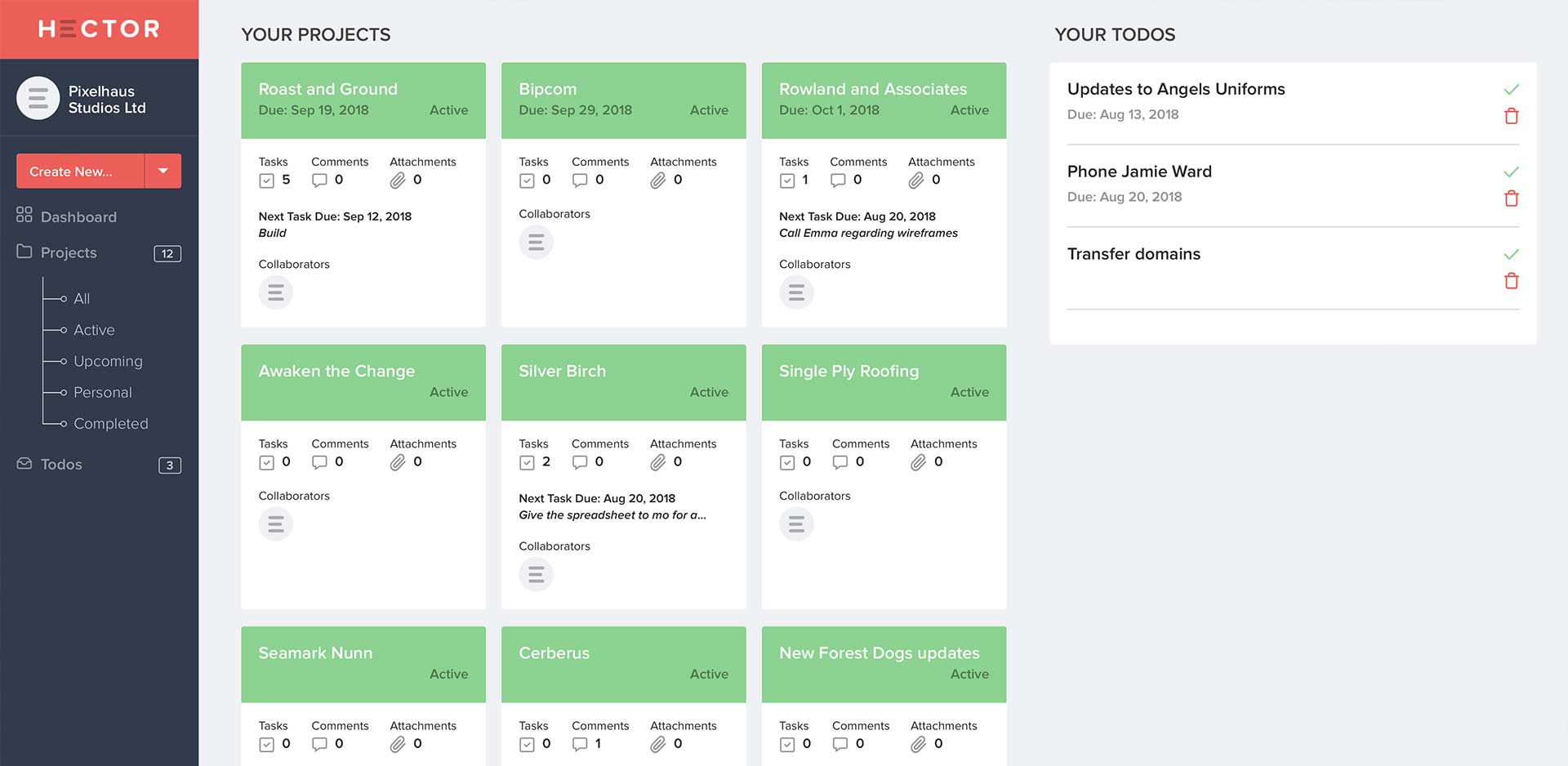
CRM integration to sales funnel and website

Website CRM Integration and Social Media That Actually Converts

From click to customer: website CRM integration and socials that actually works

You are getting traffic, but not enough enquiries. Leads leak out of long forms, DMs go unanswered, and no one is sure which posts or pages actually convert. It's common for SMEs because websites, CRMs and social channels often run as separate islands.

This guide shows how to connect the dots so clicks turn into customers. We will cover CRM integration fundamentals, practical tool stacks, consent and tracking hygiene, and how content and social feed qualified leads into your pipeline. You will also see how booking systems and ticketing sync data, why carbon-neutral hosting helps performance as well as values, and a phased roadmap you can deliver without disrupting the day job.

If you want a quick, no-pressure assessment, request a free diagnostic and we will map your current setup and the fastest wins.


What CRM integration really means

CRM stands for customer relationship management. CRM integration is the process of connecting your website, forms, booking tools, social channels and email so contact data and activity flow into one place. Done right, it gives you a single view of each person, from first click to repeat purchase.

Core elements include:

  • Lead capture that is short, tidy and tracked
  • Clean data rules so names, emails and consents are consistent
  • Accurate attribution so you can see which page, ad or post created the lead
  • Automation that acknowledges the enquiry and routes it to the right next step

For SMEs, integration is as much about discipline as it is about software. Keep forms simple, tag sources properly, and let the CRM handle the heavy lifting.


Foundations that stop leaks

Before choosing tools, fix the basics on your site. These changes reduce friction and make your CRM data far more reliable.

  • Form hygiene. Ask only what you need to respond. Use clear labels, mobile-friendly fields and inline validation. Keep optional fields truly optional. Add a consent checkbox with a plain-English explanation.
  • Tracking. Use first-party analytics and cookie consent that does not block essential conversions. Track form submissions, calls and bookings as events with source and campaign tags.
  • Consent and preferences. Store GDPR consent in the CRM with timestamp, source page and purpose. Make it easy to opt down rather than opt out entirely.
  • Speed and stability. Slow pages kill conversions. Optimise images, defer non-critical scripts, and use caching. Carbon-neutral hosting can be fast, reliable and aligned with your values if built on efficient infrastructure.

If you need help improving on-page essentials like headings, meta descriptions and internal links while you fix forms, a local partner can support you. For example, our team works as a Bournemouth digital agency to join design, SEO and marketing into one practical plan.


Typical SME stacks that just work

There is no single right stack. Choose based on needs, team capacity and total cost of ownership.

  • HubSpot (the one we use). Strong for all-in-one CRM, forms, live chat, email and automation. Good reporting from web to deal. Free tier to trial, then expand carefully.
  • Zoho CRM plus Zoho Forms or Gravity Forms. Flexible, budget friendly and solid for B2B. Great when you want modular control.
  • Mailchimp plus a lightweight CRM. Works for simple pipelines and newsletters with basic automation, then upgrade when volume increases.
  • WordPress or Joomla plus native or embedded forms, connected to the CRM via API or middleware like Zapier or Make. Reliable when you prefer to own your stack.
  • Booking and ticketing. Tools like Bookeo, FareHarbor, Eventbrite or a custom Joomla or WooCommerce bookings plugin can sync customers and consent into the CRM. The key is a consistent contact ID and shared tags.

Whichever route you take, keep one source of truth for contacts and two or three lifecycle stages you actually use. More fields and more stages do not equal more sales.


How content and social feed your CRM

Your CRM is only as good as what you put into it. Content marketing and social media management supply the right people at the right moment.

  • Content that attracts. Publish short, useful articles that answer common questions, show outcomes and remove risk. Add clear next steps on every page.
  • Landing pages that convert. Tight headlines, benefit-led copy, social proof near the call to action, and short forms. Track submissions, calls and chat opens.
  • Social with purpose. Use a weekly rhythm, linked to offers and events, and point people to a specific landing page. Repurpose one strong idea across a post, a short, an email and a story.
  • Nurture that respects attention. Send timely follow-ups, not spam. Use behaviour triggers like page views or downloads to send the next best step.

If you want support planning joined-up campaigns, our team provides ongoing marketing as a digital marketing agency, Bournemouth businesses can lean on to connect search, social and email with measurable outcomes.


Reporting you can trust

Start simple and get consistent.

  • A single dashboard that shows sessions, form submissions, booked calls, deals created and revenue. Break down by channel and campaign.
  • UTM discipline. Use one naming pattern, always. Source, medium, campaign, content. Keep it tidy.
  • Attribution sanity. Expect assisted conversions. Do not credit everything to the last click. Use the CRM timeline to see how web, social and email work together.

Review weekly for course correction and monthly for strategy. Your goal is to find the two to three channels that reliably create qualified conversations, then double down.


Sustainable, carbon-neutral hosting as a performance win

Green hosting is not just a badge. Efficient servers, smart caching and lean builds reduce load times, energy use and bounce rates. Visitors do not wait, your SEO benefits, and your sustainability story gains a credible proof point. We run carbon-neutral hosting because it aligns with both performance and the Good Business Charter principles we follow.


A phased roadmap you can implement without drama

Phase 1, two to three weeks

  • Fix form hygiene, add consent capture and test tracking for key conversions.
  • Build one high-intent landing page with a clear offer and calendar or call button.
  • Set up a basic CRM pipeline with three stages and one auto-response.

Phase 2, four to six weeks

  • Connect booking or ticketing to the CRM with consistent tags.
  • Launch a weekly content and social rhythm, each post pointing to a relevant page.
  • Create a single dashboard with source-to-deal metrics.

Phase 3, six to twelve weeks

  • Add nurture sequences based on behaviour, for example a download or a pricing page view.
  • Introduce review aggregation so social proof shows up on-site and in search results.
  • Optimise speed with image compression, script deferral and CDN, hosted on a carbon-neutral platform.

Phase 4, ongoing

  • Test one improvement per month: a form field change, a new headline, a shorter email.
  • Review attribution, refine budget and double down on the top two channels.

If you are local and prefer hands-on help, we can pair integration work with conversion-focused site improvements. Explore our web design Bournemouth services if your site needs a tidy, faster structure before you layer on automation. Or, if you are nearer Poole, our web design Poole page outlines how we build and integrate booking and CRM from day one.


Quick FAQs

  • What is a CRM integration?
    It is the connection of your website, forms, booking tools, social channels and email with your CRM so contact data, consent and activity flow into one system. The goal is a single view of each customer and fewer manual tasks.

  • How does hired an agency work?
    Marketing agencies typically scope your goals, audit your current stack, propose a phased plan and then deliver in sprints. You keep ownership of your data and assets, and you decide how much is done-for-you versus training-led. If you prefer a local partner, our Bournemouth marketing agency approach is collaborative and plain English.

  • How often should a brand post on social media?
    Aim for a consistent, sustainable rhythm. For most SMEs, three to five quality posts per week across one or two core channels works better than daily filler. Prioritise relevance and a clear call to action over volume.

  • What is the average cost of social media marketing in the UK?
    Costs vary by scope, channel mix and whether content creation, community management and ads are included. Many SMEs start with a modest, sustainable monthly investment aligned to clear goals. Ask for a diagnostic and a phased plan rather than a one-size-fits-all package.

  • Can I host my own website for free?
    You can use free tiers, but they often come with limits on speed, features and branding. For a business site, reliable, carbon-neutral hosting with security, backups and support is worth the modest cost and can improve performance and trust.


The gentle next step

If your tools do not talk to each other, you are working harder than you need to. Request a free diagnostic and we will map your website-to-CRM-to-social integrations, highlight quick wins, and outline a phased plan that fits your team.


Helpful links if you want to explore related services


Connect your website, CRM and social with clean forms, reliable tracking, consent capture and simple automation. Choose a stack that fits your team, feed it with focused content and a steady social rhythm, report what matters, and host it on a fast, carbon-neutral platform. Implement in phases so you improve quickly without disruption. When you are ready, ask for a free diagnostic and get a clear map from click to customer.


Pixelhausl wins Bournemouth Business Award

Pixelhaus wins again

We're delighted to share the news with you that at the recent 2024 Bournemouth Business Awards, we picked up a gong for best independent business. Obviously we feel greatly honoured to receive this award, especially with so much hot competition locally in our sector. The image shows founder, Richard Gosler receiving his certificate from the mayor of Bournemouth, Anne Filer.

It's been an especially good 12 month period as this is the third award we've garnered in this time. Last november we were awarded 'Most Trusted Web Design & eCommerce Business 2023 - South West England' by the Media Innovator Awards 2023. And last April we were voted best creative web design firm in Bournemouth 2023 by the UK Enterprise Awards.

pixelhaus

Pixelhaus is a Dorset based web design, SEO and digital marketing agency.

01202 676888

21 Avalanche Road

Portland

Dorset

DT5 2DJ
UK

Subscribe
Sign up to our subscription service for news and updates.

pixelhaus

Pixelhaus is a Dorset based web design and digital marketing agency.

01202 676888

21 Avalanche Road

Portland

DT5 2DJ
UK

Subscribe
Sign up to our subscription service for news and updates.

pixelhaus

Pixelhaus is a Bournemouth based web design and digital marketing agency.

01202 676888

27 Douglas Road
Branksome
Poole
Dorset
BH12 2AU
UK

Subscribe
Sign up to our subscription service for news and updates.